InfinityOS - infinitely better.

Fedora at the core. InfinityOS in every detail.

INFINITYOS Scroll to explore Made in Poland, in United Europe.

THE DESKTOP, FINISHED

GNOME.
With taste.

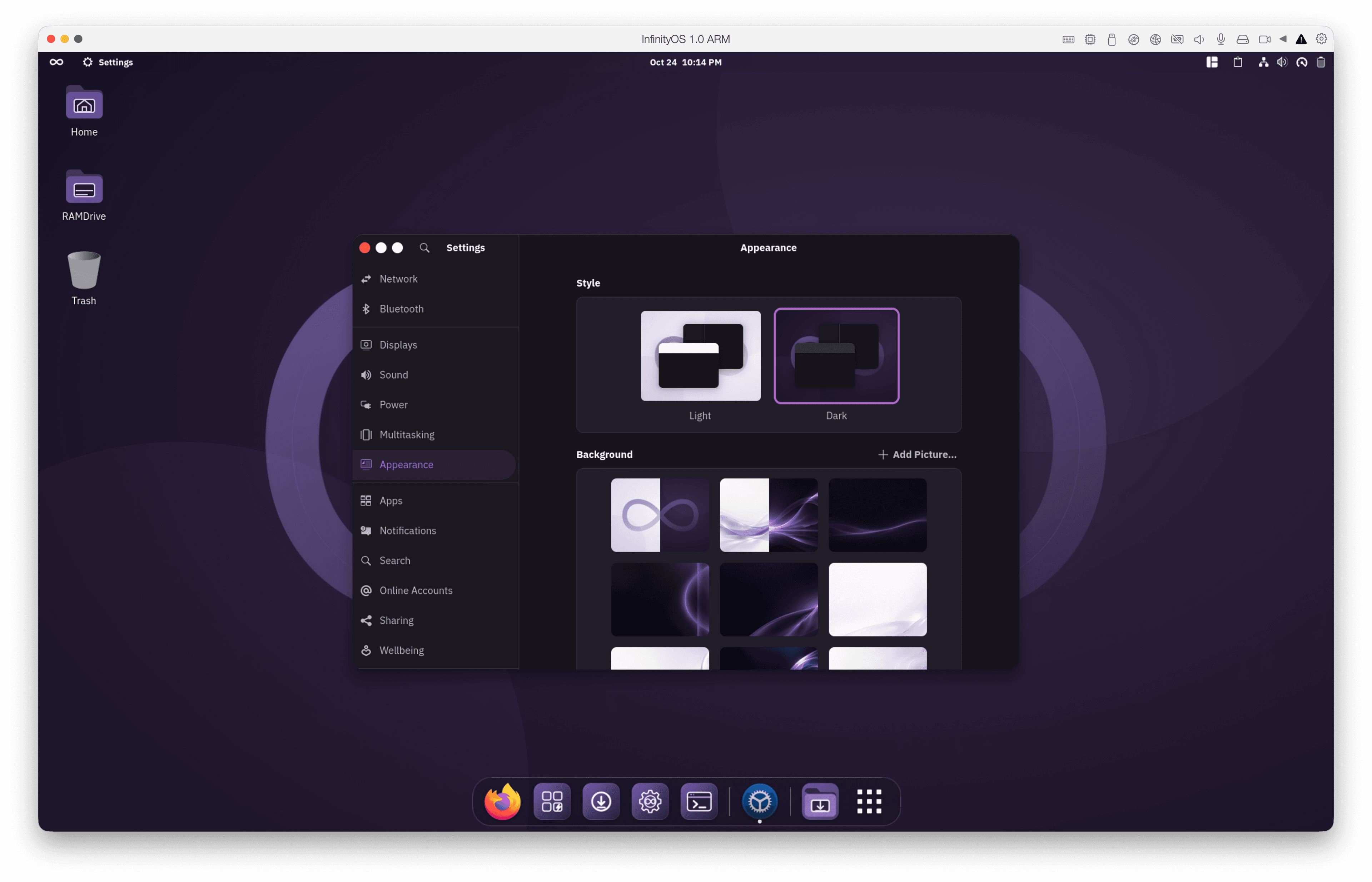
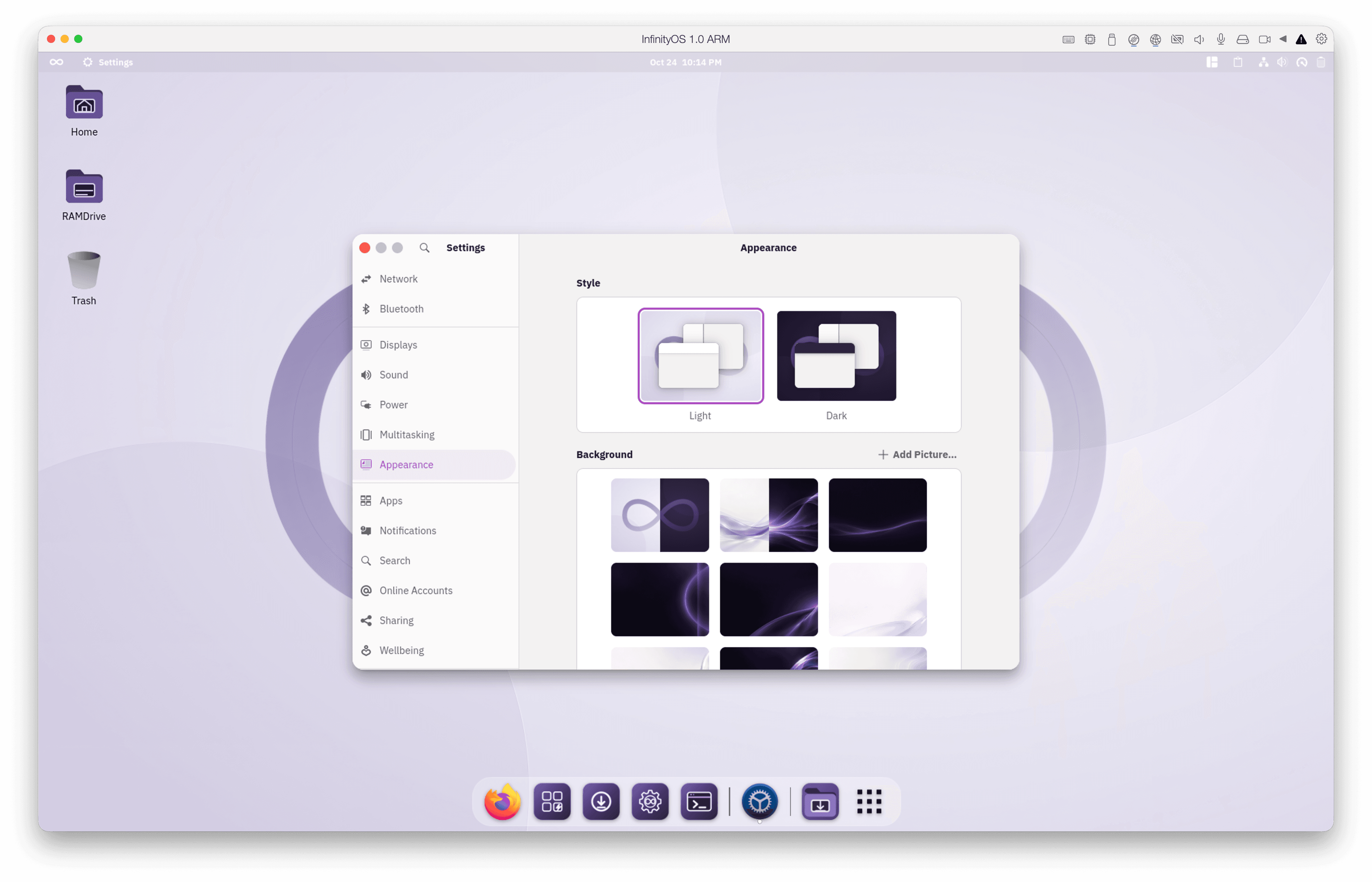
The purple theme runs from the login screen to the desktop. Kora icons, a Bibata cursor and IBM Plex Sans are the stars of the show. We tuned the smaller details so GNOME feels like one complete system.

We brought folders back to the GNOME desktop. Who doesn't love a little mess? We added and replaced plenty of components so everyday work feels smooth and enjoyable.

InfinityOS desktop in dark mode with the Appearance settings openInfinityOS desktop in light mode with the Appearance settings open
THE REAL DESKTOP TWO MOODS

OUT OF THE BOX

Tweaked,Tuned andready to go!

Infinity OS 2.0 is based on Fedora 45 and GNOME 51. We kept Fedora's solid foundation and took care of the setup. RPM Fusion codecs let you play common media files, supported streaming works from the start, and x64 live installs choose a matching NVIDIA driver if your machine has an NVIDIA GPU.

InfinityUpdater takes care of updates, and the built-in Recovery option in the boot menu lets you roll back your atomic experiments.

HANDCRAFTED. ALWAYS ON CALL.

Infinity
Terminal.

Press Super + T anywhere. InfinityTerminal drops down over your desktop, Quake-style. Press it again to hide the window without losing your shell.

We built InfinityTerminal on Ghostty and set up Zsh with Oh My Zsh for you. We also added tabs and a tab overview to keep everything in sight.

If you use Codex or Claude in your IDE, select them in InfinitySetup and dedicated AI tabs appear in InfinityTerminal. We also prepared three local models you can add.

SKIP THE APP HUNT

Infinity
Setup.

InfinitySetup opens the first time you sign in. Choose the apps you want for games, creative work, office, development or AI, then click Apply to install them. You decide what goes on your machine.

Spotify, the Craft creative suite, Docker, Codex and Claude are on the list. Steam, Heroic? You bet. Add them alongside other great tools. The lineup will evolve with the community, and you're invited to help shape it.

A CLASSIC, REBORN

RAMDrive.

Remember the scratch space in Commodore Amiga Workbench? RAMDrive brings it back for quick exports, experiments and whatever you're working on. It uses disk storage, so a crash won't erase your files.

Your desktop has a RAMDrive folder for all the throwaway files that pile up during the day. At shutdown, InfinityOS asks before letting the clutter evaporate.

YOUR HARDWARE CAN TAKE IT

Gaming.
In Overdrive.

InfinityOS includes gaming tools and speed tweaks inspired by CachyOS, Nobara and Bazzite. Compressed memory (zram) and tuned storage help the desktop stay responsive. GameMode, MangoHud and Gamescope are ready when you play.

Install Steam, Heroic or Lutris through InfinitySetup. If you have an NVIDIA GPU*, the live installer chooses a matching driver.

* NVIDIA driver selection in the live installer is available on x64.

INFINITYOS / GAMING
Steam STORE LIBRARY COMMUNITY
STEAM LIBRARYReady when you are.

Your next adventure is one click away.

EXPLORE
RECENTLY PLAYEDVIEW ALL
Beyond the horizonREADY TO PLAY
Night driveREADY TO PLAY
The last outpostREADY TO PLAY

FROM BOOT TO COUCH

Grab beer,
we have
TV Mode.

Add Steam or emulation in InfinitySetup, then set your PC to boot straight into TV Mode.

Power on, grab your controller, and jump right in. Your games are ready on the big screen.

Less setup, more You.

Ready to FUCK.

Jump in. It's worth it.

InfinityOS vs. Fedora

Features included by default in InfinityOS compared with a stock Fedora installation
Out of the boxInfinityOSFedora
Gaming tools and tuning✓Ready×Set up
TV Mode (Steam & Emulation)✓Built in×Not included
Media and supported streaming✓Ready×Set up
Restore from the boot menu✓Built in×Not included
NVIDIA driver choice (x64 live)✓Automatic×Manual
Drop-down terminal and AI tabs✓Super+T×Not included
First-run app picker✓Built in×Not included
RAMDrive scratch folder✓Built in×Not included
Local AI models*✓Easy setup×Set up

You can add these features to Fedora yourself. *Local models need compatible hardware.

BOOTCREATEEXPLORE

ON THE HORIZON

More
incoming.

Our team has ideas that will strike. Tell us what you want to see next.

BRACE FOR WHAT'S NEXT ↘

AN OPEN INVITATION

Build
the club.

Want to make InfinityOS better? Bring your eye for design, your code or an idea we haven't tried yet.

Found a hardware issue or a rough edge? Tell us on Discord. If you can fix it, send a change to the repo. We're building this together.